charter-app
Charter App Documentation
Charter - Introduction
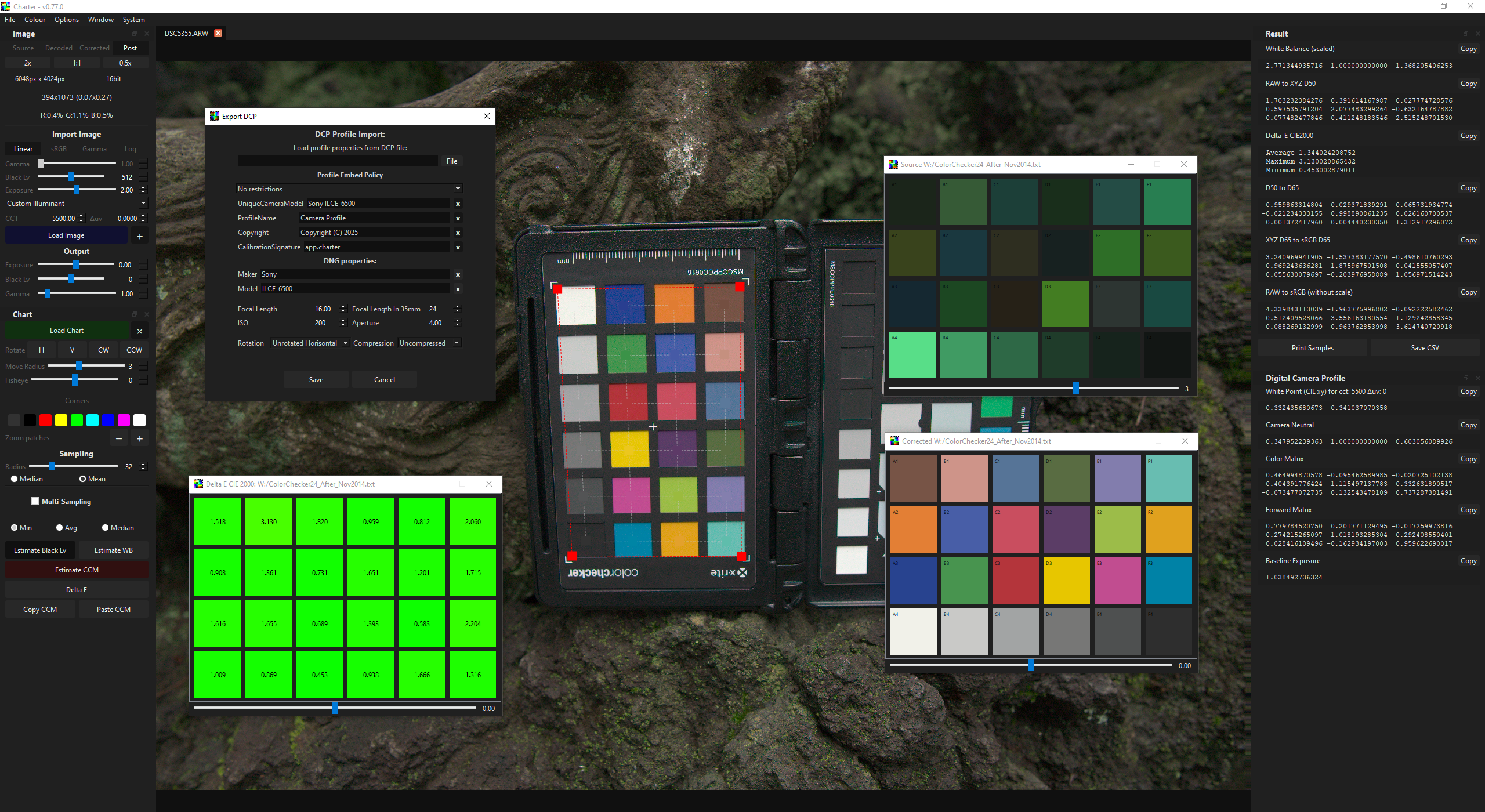
The Charter application’s primary purpose is to sample raw color values from images containing color charts. It does not include built-in profiles for color charts; instead, it uses CGATK-format profiles to load chart parameters. For convenience, it comes with CGATK files for two popular color charts: “xRite ColorChecker” and “xRite ColorChecker Digital SG.” Users can also add custom profiles.
Key Features
Color Correction Matrices (CCM) and White Balance (WB) calculations are performed using double-precision floating-point numbers, ensuring high accuracy. Results have higher precision (lower DeltaE CIE2000 errors) than those obtained popular commercial software or DCamProf.
- Dynamic Chart Widget: Users can interactively position the widget over the color chart in the image. The widget supports:
- Perspective transformation (using corner patches).
- Independent or elastic movements for individuals or groups of swatches.
- Lens distortion (experimental).
- Customizable Sampling: Control sampling radius and averaging methods (mean or mean + median).
- Multi-Image Sampling: Sampling colors from multiple images as single color chart values.
- Data Export: Export swatches color values, coordinates, and results to other applications or libraries like Colour-Science or SciPy.
- Decoding sRGB, Gamma, Log encoded images on load.
- 3D Lut: bake computed white balance (WB) and color transformation matrix (CCM) into 3D LUT (.cube)
- Common LUT format: export computed white balance (WB) and color transformation matrix (CCM) into *.clf LUT file.
- Binary/RAW sensor data: support for binary/RAW sensor data (e.g., from machine vision cameras) including packed formats like GigE Vision (packed10bit, packed12bit) or TIFF/DNG.
- Camera RAW: in a RAW read mode can work directly with raw (mozaiced) sensor data. That allows to build Digital Camera profiles (DCP).
- Adebe DNG import/export: support for DNG format using the Adobe DNG SDK.
- Digital Camera Profiles: output DCP files that can be used in various raw processors (e.g., Lightroom, RawTherapee, etc.).
Existing Solutions
Applications for color charts generally fall into these categories:
- Conditionally free tools: Simplified, one-click solutions for creating Adobe DCP or ICC profiles (e.g., Adobe DNG Profile Editor, x-Rite ColorChecker Camera Calibration).
- Paid applications: More flexible but often limited to specific outputs like DCP/ICC profiles or 3D LUTs (e.g., Lumariver Profile Designer, 3D LUT Creator Pro).
- Professional software: Expensive tools for advanced color tasks, expensive for occasional needs.
- Scientific Python libraries: Powerful solutions like Colour-Science or SciPy, which lack graphical interfaces.
Rationale for Development
Modern color maths for color correction and/or characterization are straightforward unless spectral measurements are involved. Working directly with raw data is often more efficient than relying on commercial raw processors, especially with machine vision cameras, where characterization and correction are entirely up to the user.
Attempts to find a simple GUI for color value extraction proved unsuccessful due to:
- High costs and lack of trial versions.
- Limitations in handling non-standard charts.
- Incompatibility with charts exhibiting both perspective and non-linear distortions.
- Required perfect capturing setup
Using the glossy material of certain charts, like the xRite Digital SG, adds sensitivity to lighting, making glare-free captures impossible in setups like Light Stage systems. Multi-angle shooting and value averaging are necessary for accurate results. When some color charts are captured in Multi-camera rigs, they may only be partially visible, complicating the workflow further.
Development Goals
Initially designed as a companion to Colour-Science, the Charter application employs double-precision measurements. Mathematical operations were cross-verified with Colour-Science results during development. Over time, core functionality was integrated directly into the application, including:
- White balance calculation.
- Color Correction Matrix computation.
- Decoding gamma-encoded images (gamma, sRGB, Log).
- Decoding binary raw sensor data (including packed) and camera RAW formats.
- Demozaic.
- Black level subtraction.
- Exporting results formatted for in NumPy, Matlab, GLSL, CSV, etc.
- Bake color transformations to 3D LUT (*.cube)
- Compile color transformations into Common LUT format (more flexible and editable).
- etc.